 By
By 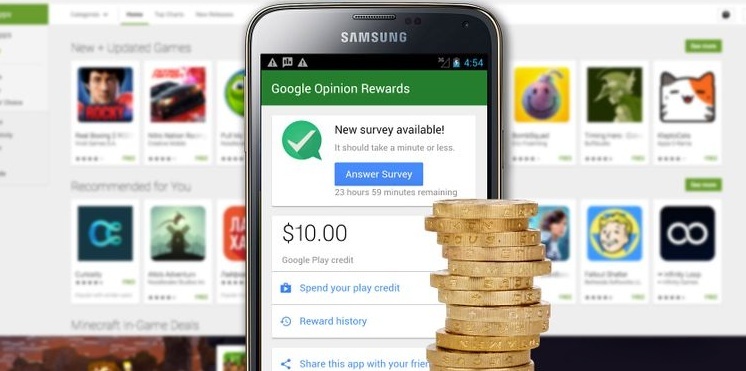
If you’re looking for a simple and reliable way to earn rewards online, the Google Opinion Rewards app might be exactly what you need. This app is designed for convenience and ease of use, allowing you to make money by completing quick surveys. Whether you want extra cash or free credits for Google Play, this app is absolutely worth trying.
Google Opinion Rewards is an official Google product. It’s very popular overseas, with over 50 million downloads and nearly 2 million daily active users, proving that the platform is highly stable and trustworthy.
If you want to get apps, games, movies, TV shows, and books from Google Play for free, then you should definitely use the Google Opinion Rewards app. Each time you complete a short survey, Google rewards you with credits or PayPal cash (depending on your device).
With more than 10 million active installs, this app is widely used — but are you maximizing your earning potential? Can you really earn more from Google Opinion Rewards?
Let’s take a look.
How Google Opinion Rewards Works
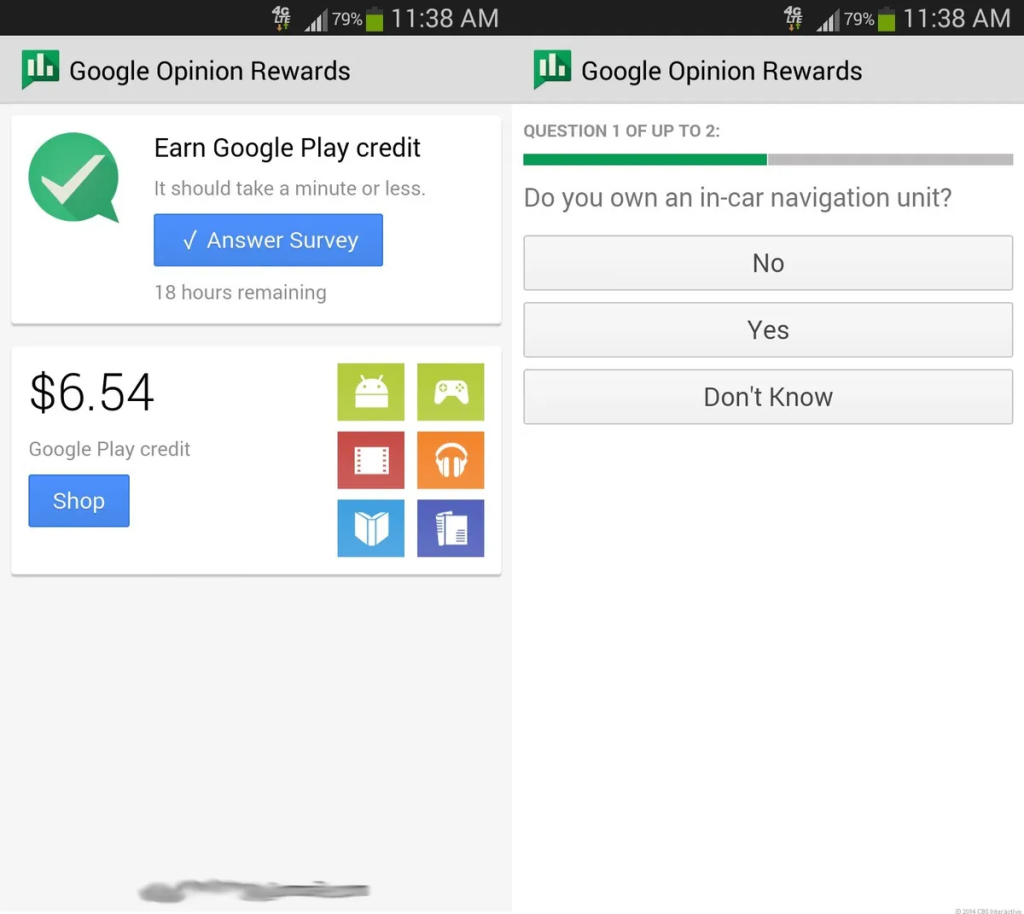
Before learning how to increase your earnings, it’s important to understand how the app works. Even if you’ve used it once and forgotten about it, here’s a quick refresher.
Google Opinion Rewards is available for both Android and iPhone users.
.Android users receive Google Play credits.
.iPhone users receive PayPal payouts.
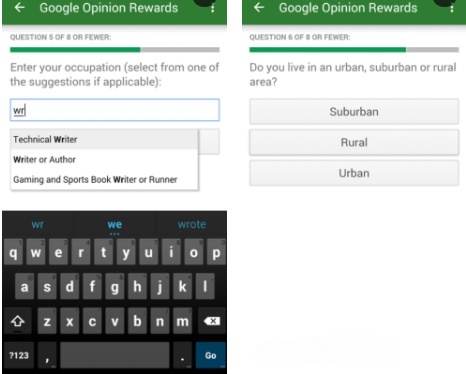
After launching the app, log in with your main Google account. You’ll first receive a short “test survey.” This helps Google understand your demographics and ensures you know how the survey process works.
Most surveys are based on your recent shopping experiences — online or offline. If you’ve visited shops recently, you’re more likely to receive surveys.
Surveys usually take around 10 seconds to finish, and each one pays a few cents. Over time, these credits add up, eventually letting you buy items in the Google Play Store at no cost.
When you’re ready to purchase something, just select Google Play balance as your payment method.
Now that you know the basics, let’s explore how to increase your earnings.
Enable Location Services to Get More Surveys
Although some surveys are based on online purchases, many are triggered by your real-world movements.
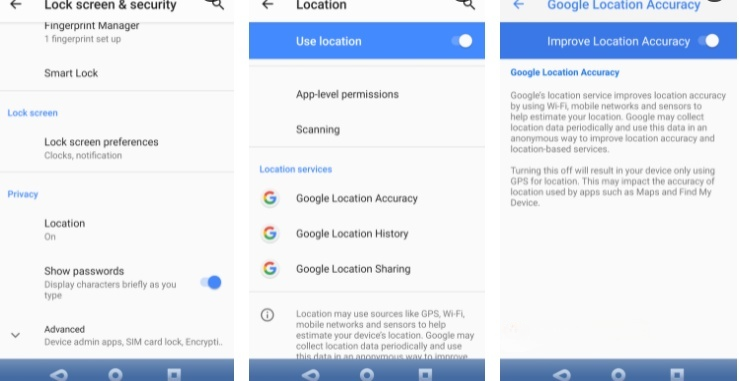
By enabling location services on your phone, you increase the number of surveys you receive — especially those asking where you’ve recently been.
To enable this:
.Open Settings
.Go to Location
.Turn Use Location ON
.Under Advanced, confirm Google Location Accuracy is ON
This helps Google detect where you go using GPS, Wi-Fi, Bluetooth, and mobile networks. If you want the most surveys, this setting is essential.
Where Are the Best Places for Google Opinion Rewards?
There’s no single “best” location, but one thing is clear:
City users get way more surveys than rural users.
Why?
Because there are:
.More stores
.More shopping activities
.More trackable locations
.More businesses needing survey data
In short:
The more active your daily life is, the more surveys you’ll receive.
More surveys = more money.
Keep Your App Updated
Google occasionally changes its survey systems, so using an outdated version may reduce the number of surveys you receive.
To ensure the app stays updated:
.Open Google Play
.Go to Settings
.Enable Auto-update apps (Over Wi-Fi only)
Keeping the app updated gives you the best chance of receiving new surveys.
How to Get More Google Opinion Rewards Surveys
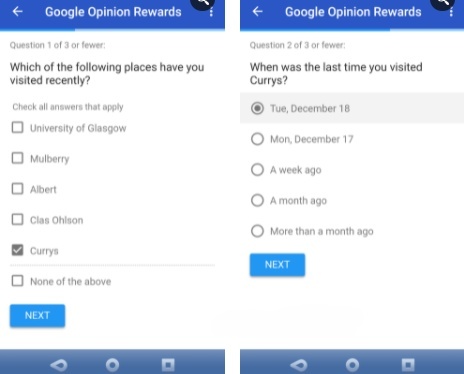
You won’t receive dozens of surveys per day, but you can increase their frequency.
Here’s how:
1.Check the app daily and enable notifications.
2.Respond quickly — fast responders get more surveys.
3.Women typically receive more surveys, especially those who shop often.
4.Visit well-known stores regularly — staying home won’t trigger surveys.
5.Answer honestly — the app uses “trap surveys” to detect inconsistent answers.
Walking around, shopping, and staying active helps your Google Play balance grow naturally.
Earn More During the Christmas Season
This might not be surprising, but it’s worth mentioning:
September to December is the highest-paying period.
Why?
Because companies who partner with Google want to analyze consumer shopping habits during the holiday season. That means:
.More surveys
.More questions
.More rewards
If you want to maximize earnings, be sure to keep the app active during these months.
Earn More by Watching Videos
Sometimes Google will send you videos to watch and rate.
These are typically short YouTube clips used to measure user interest.
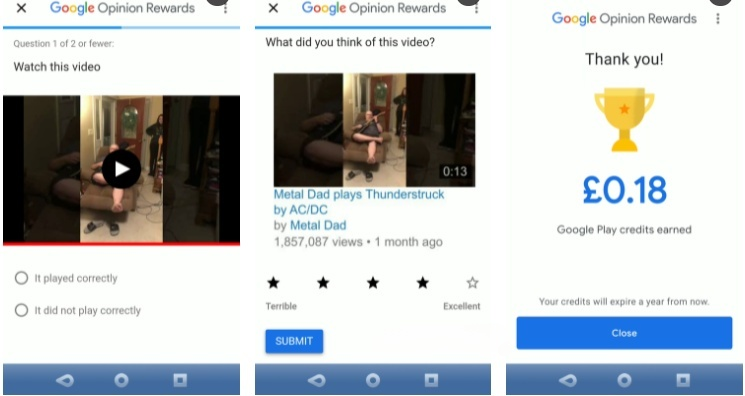
All you need to do is:
1.Watch the video
2.Confirm it played correctly
3.Give it a rating
After that, the reward is added immediately.
Don’t Let Your Rewards Expire!
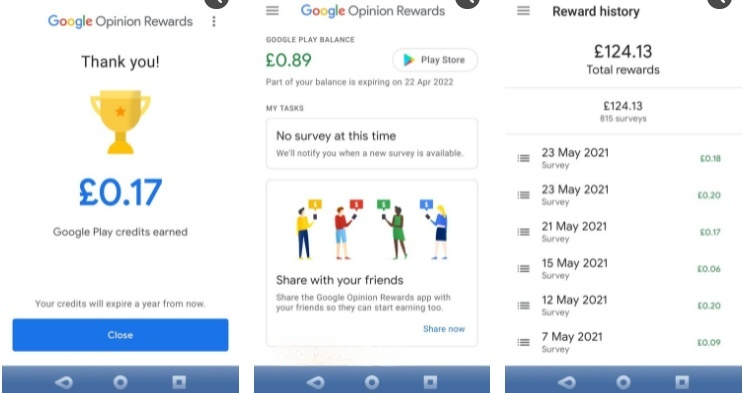
It’s exciting to see your balance grow, but remember:
Your credits expire after 12 months.
To avoid losing money:
.Spend your credits regularly
.Keep a wishlist of apps or games you want
.Use credits before the expiration date
You can check your wishlist anytime in the Google Play Store.
5 Smart Ways to Use Your Google Opinion Rewards Credits
Based on the past year, here are practical ways I’ve used the money earned from the app:
(1).Paid for premium educational apps
(2).Bought movies
(3).Purchased several mobile games
(4).Upgraded apps from ad-supported to premium
(5).Bought songs and albums
It’s not life-changing money, but it’s enough to cover entertainment costs.
That’s a great deal for answering quick surveys.
Final Thoughts — Make Google Opinion Rewards Work for You
Google Opinion Rewards is simple to set up, free to use, and offers multiple ways to earn more surveys (and more money). Whether you’re on Android or iPhone, it’s one of the easiest passive earning tools available.
If you stay active, keep your app updated, enable location services, and respond honestly, you can easily make consistent rewards — and get free apps, games, or PayPal cash while spending just a few minutes a day.